Enterprise SaaS administration
Team, role and permission management for B2B products.
Dashboard & administration templateIAM · Administration
The administration surface of an enterprise product: identities, roles, policies and the save-and-discard behaviour that makes settings trustworthy.
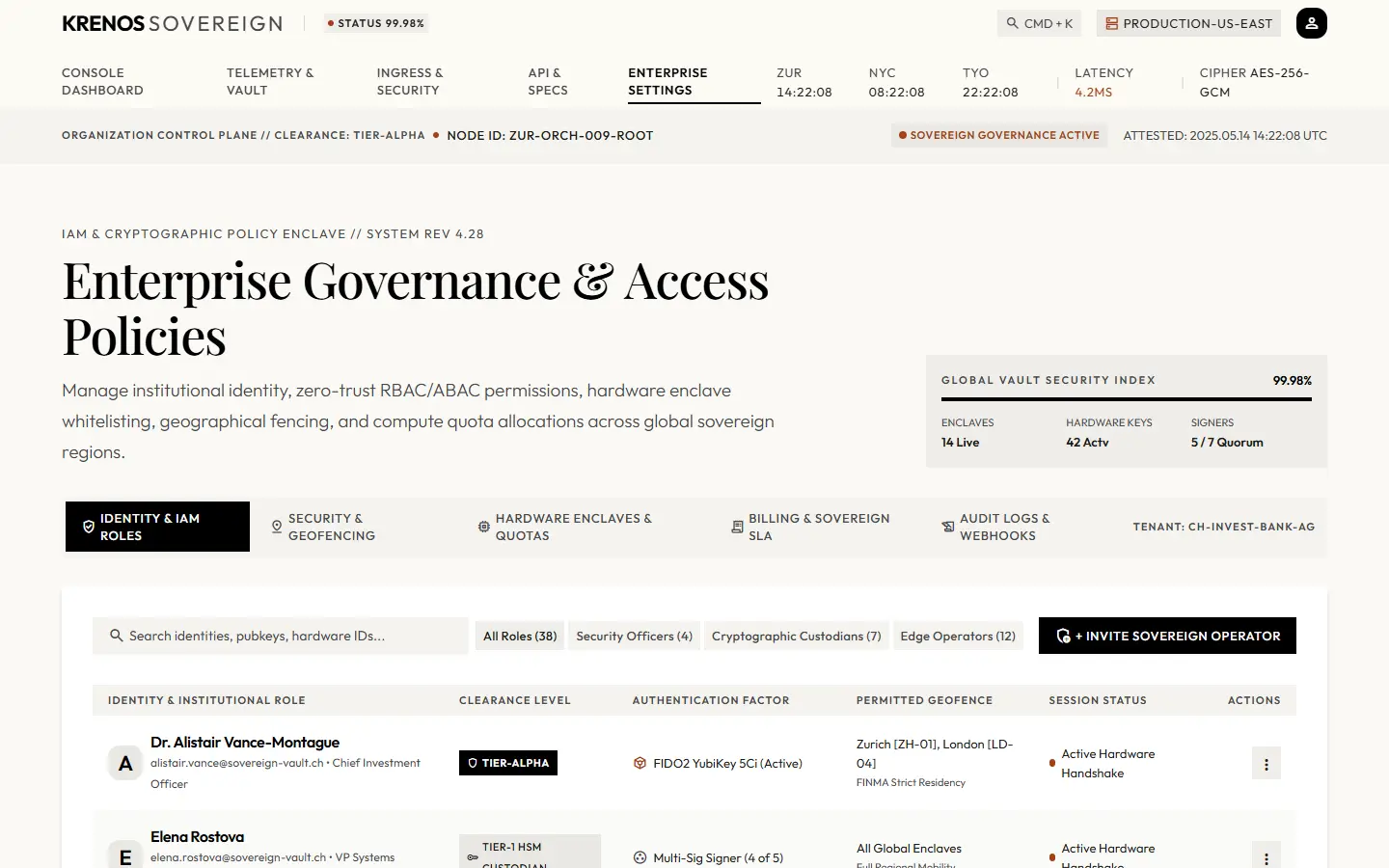
Enterprise Governance is the KRENOS IAM governance React dashboard template. It covers enterprise administration properly: a paginated identity table with clearance levels and role filters, policy switches grouped into sections, geofencing and quota controls, and an invite flow.
Its most useful detail is the one most admin templates omit — a save bar that appears when settings become dirty and offers both saving and discarding, with the clean, dirty, saving and saved states all designed.
Operators with clearance levels, a search field, role filtering and pagination across identity pages.
Grouped settings sections with accessible switches, each with a label and an explanation.
A bar that appears on the first change and moves through clean, dirty, saving and saved — with discard.
IP enclave whitelists, compute quotas and interconnect limits, plus a validated invite-operator form.
Every one is a working part of the live template, not a screenshot. Open the demo to use them.
A header strip with the security index.
Section navigation across the governance areas.
The filterable, paginated operator table.
A validated invitation form.
IP enclave whitelists.
Compute quotas and interconnect limits.
Binding policy changes to an audit record.
The unsaved-changes bar with save and discard.
Team, role and permission management for B2B products.
Clearance levels, policy enforcement and access review surfaces.
Any product needing a settings architecture that scales past a single page.
No identity provider, directory or permission service is included. Saving updates local state and shows the saved state; connect your API in the same handler.
Every KRENOS purchase includes all eleven, so these are alternatives to consider, not add-ons.
KRENOS · Enterprise Governance
The demo is the real template, not a video. It opens with a thin KRENOS bar so you can switch templates, preview it at phone, tablet and desktop widths, or come back to the explorer.