Developer platforms
Public API reference that matches your product rather than a generic docs theme.
Product interface templateDeveloper Platform
A documentation interface for developer platforms: endpoint index, schema tables, response matrix and a sandbox that runs.
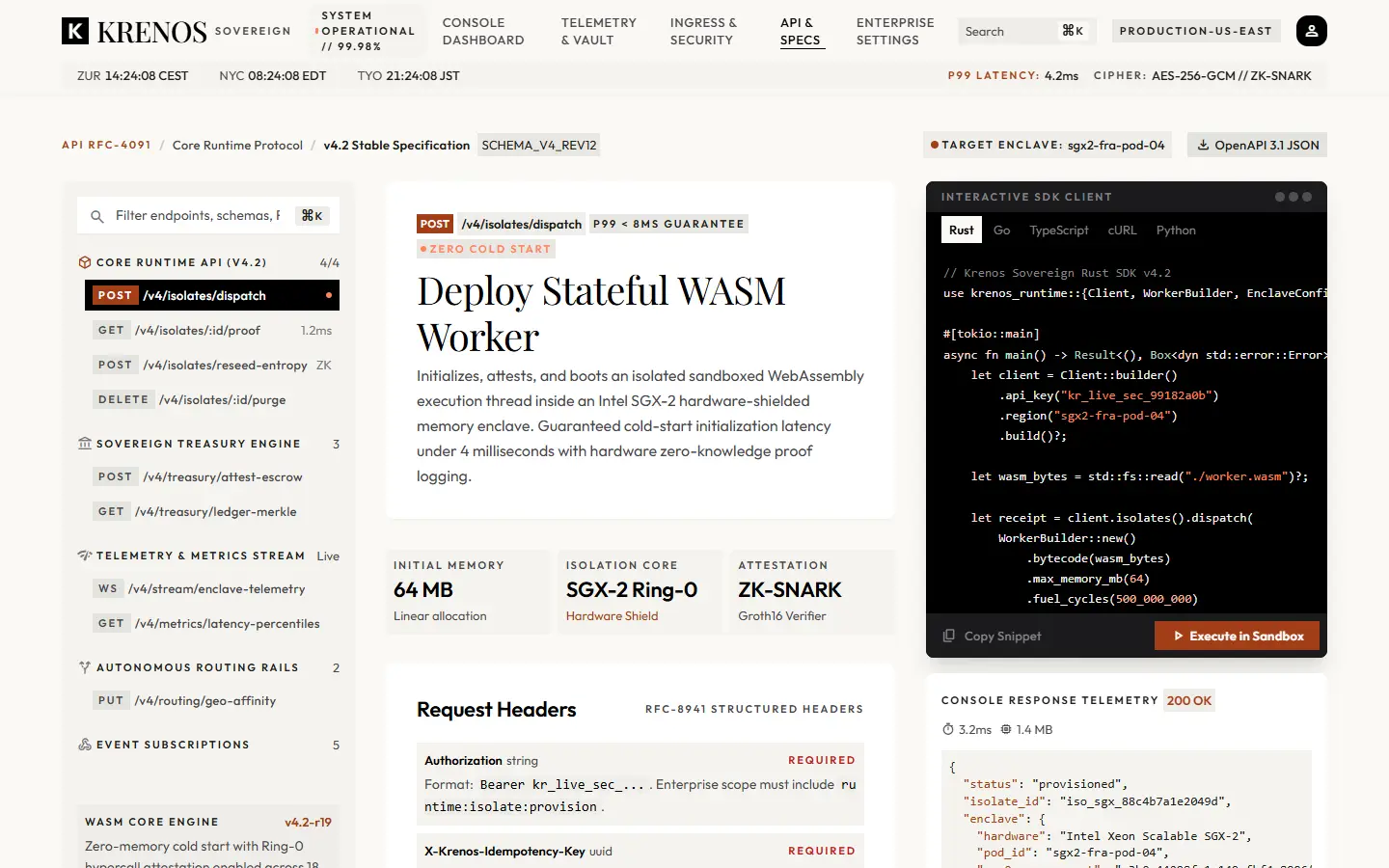
This is the KRENOS API documentation React template — a signed-in style reference interface rather than a marketing page. It has the three-column shape developers expect: an endpoint index on the left, specification in the middle, and a dark SDK client on the right.
It is the right starting point when your documentation is the product surface, and generic docs themes do not match the rest of your application.
Grouped endpoints with method badges and per-group counters, filtered from a search field with a keyboard shortcut.
Request headers with required flags, a body schema with types and descriptions, and an HTTP response matrix with status tones.
A client panel that runs a request and reports console response telemetry — status and execution duration — through idle, running, success and error states.
Semantic breadcrumb navigation through the protocol version and the current endpoint.
Every one is a working part of the live template, not a screenshot. Open the demo to use them.
Protocol version, breadcrumb and status.
Grouped, filterable navigation with method badges.
A typed table with required indicators.
Field names, types and descriptions.
Status codes with tone-coded variants and per-status schemas.
The interactive sandbox with response telemetry.
A closing block for private peering or contact.
Public API reference that matches your product rather than a generic docs theme.
Service catalogues and schema references for platform teams.
Documentation where a runnable example is the fastest path to activation.
The sandbox does not call an API. It advances through typed response fixtures on a timer, so the documented endpoints, keys and hosts are deliberately fake (`kr_demo_…`, `*.example`).
Every KRENOS purchase includes all eleven, so these are alternatives to consider, not add-ons.
KRENOS · API Reference
The demo is the real template, not a video. It opens with a thin KRENOS bar so you can switch templates, preview it at phone, tablet and desktop widths, or come back to the explorer.